
Your job search. Less repetition.
Bring your details.
Leave the retyping.
Your experience deserves more than another blank form. Readier brings your saved profile and answers to supported job applications, with you in control of every step.
Not yet available from the extension stores. We’re preparing a reviewed beta, not promising a shortcut past your final review.
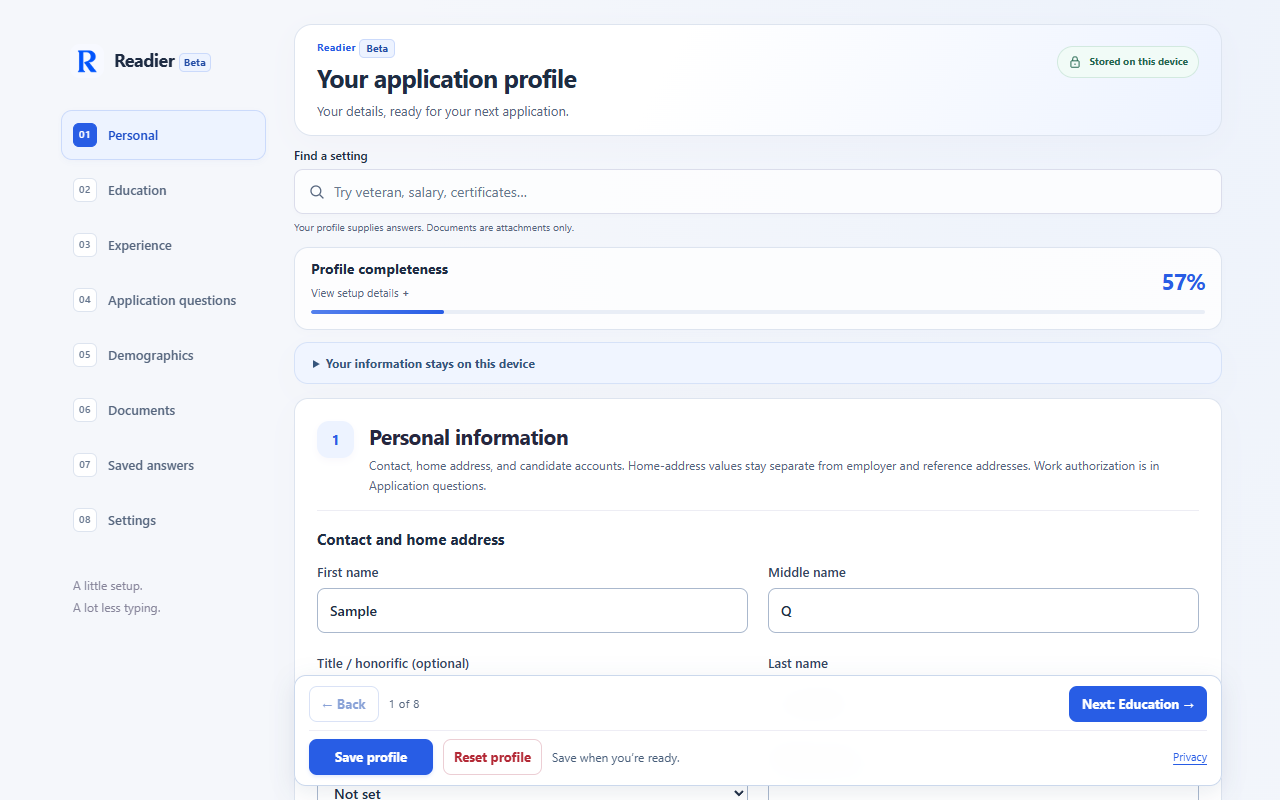
Your information,
once.
Add your contact details, education, work experience and preferences. Attach your résumé without using it to invent profile answers.
A head start
on the form.
Open a supported application and choose Autofill. Use the sidebar for remaining questions or fill them directly on the website.
The final word
is yours.
Check the answers, dates and attachments. Autofill does not submit applications. You decide when to move forward.
Readier’s field detection runs on your device. Filling sends selected information to the website you choose, which may save draft answers before submission. You can stop filling or turn Readier off at any time.
A helpful start. Not a hands-off application.
Readier is in beta preparation for Chrome and Edge. Some sites and controls need manual input. It does not generate qualifications or guarantee that every field will be filled. Review your information on the application before continuing or submitting.
Questions about access or a form that needs support? Get in touch with Readier.